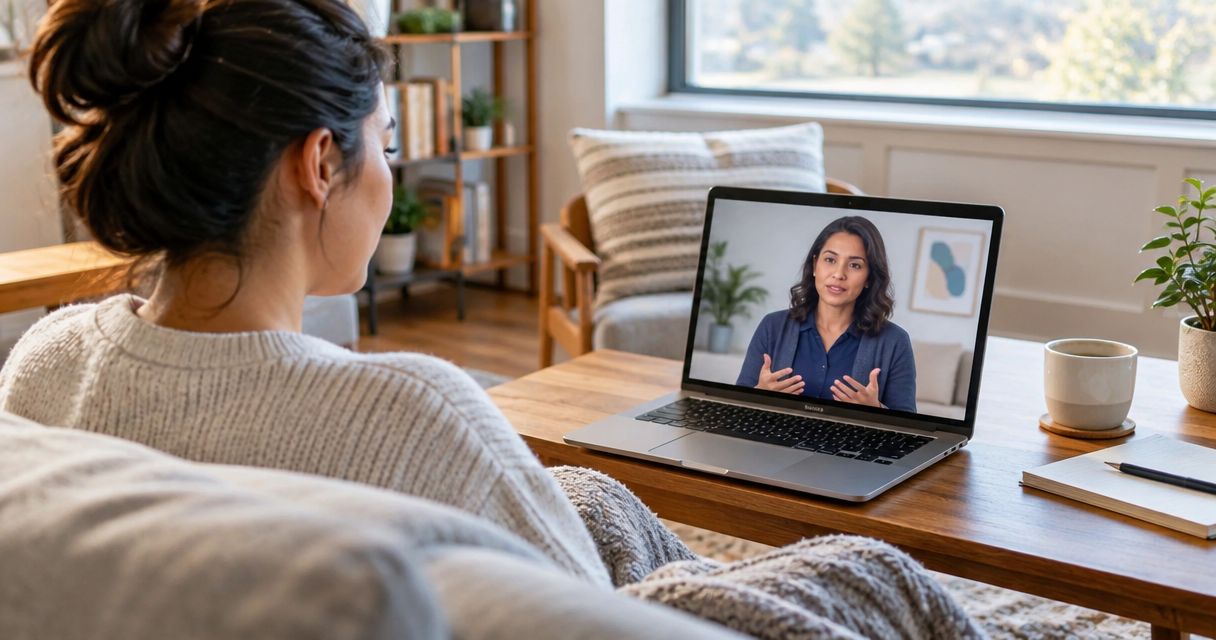
Instead of guessing which video platform will work or scrambling for a private room five minutes before your appointment, walk through a short setup checklist once and every future session opens without friction. This guide covers what you need before your first appointment, how to configure your device and account, and what to do when something doesn't work the first time.
- To start telehealth therapy in Washington, confirm your device camera and microphone work, create your client portal account, and pick a private space before your first appointment.
- Havencrest Wellness & Counseling offers telehealth sessions across Washington state alongside in-person appointments.
- Most clinical video sessions run 50 minutes, so block that time plus a short buffer on either side.
- Test your tech at least 24 hours before your first session, not the minute it starts.
- A stable connection and a closed door matter more than any specific device brand.
Why This Matters
Telehealth removes the drive-time barrier that keeps a lot of people from starting counseling in the first place, and in 2026 it's a standard delivery option rather than a workaround. Washington covers a lot of geography between coastal towns and inland cities, and a stable video connection puts an evidence-based clinician in reach regardless of where you live in the state.
The setup itself is not complicated, but small oversights, an untested microphone, a room with foot traffic, a login attempted two minutes before start time, turn a first session into a technical scramble instead of a conversation. A short checklist prevents that.
Before You Start
- A device with a working camera and microphone. Most laptops, tablets, and smartphones from the last several years handle video calls without extra hardware.
- A private space with a door that closes. A parked car, a bedroom, or a home office all work if the door shuts and background noise stays low.
- A stable internet connection. Wired or Wi-Fi both work; what matters is that nothing else on the network is streaming heavily during your appointment.
- The non-obvious gotcha: browser permissions for camera and microphone access are often granted the first time you click into a video window, not automatically. If you wait until your session start time to grant those permissions, you can lose the first several minutes of your appointment troubleshooting a permissions pop-up instead of talking to your clinician.
Set Up Your Space and Device
- Pick the room you'll use for every session going forward, consistency matters more than luxury. A closet-turned-office with good lighting works fine.
- Position your device so the camera sits at eye level, propped on books or a stand if needed. Looking down into a laptop camera for 50 minutes gets uncomfortable fast.
- Test your camera and microphone in any app that uses them (a video call app, your device's camera app) at least 24 hours before your first appointment. This surfaces permission issues while you still have time to fix them.
- Put your phone on silent and close messaging apps that might pop up notifications mid-session.
Expected result: you can sit in your chosen space, see yourself clearly on camera, hear background sound clearly through your speakers or headphones, and confirm no one will walk through the room for the next hour.
Configure Your Client Portal and Intake Access
- Create your client account through the portal link sent after you request an appointment. Use the email address you check regularly, since session links and reminders arrive there.
- Complete the intake paperwork inside the portal before your first appointment, this typically includes consent forms and background history. Filling these out ahead of time means your first session starts with conversation instead of paperwork.
- Enter your insurance information if you plan to use it, and confirm coverage details directly with your insurance provider rather than assuming based on general plan type. Coverage for telehealth counseling varies by plan and by state, and how much therapy costs in Washington depends heavily on that verification step.
- Save the portal login somewhere you'll remember it. A password reset delay is a common reason people miss the first few minutes of an appointment.
Expected result: your account shows a completed intake status, and you have a saved login you can access from the device you'll use for sessions.
Schedule Your First Session
- Decide what you're looking for before you book: individual counseling, couples work, or support for a specific concern like anxiety or depression. If you're unsure which fits, reviewing evidence-based therapy options for anxiety before your intake call gives you language to describe what you want out of sessions.
- Request an appointment time through the portal or by contacting the office directly.
- Watch for a confirmation email containing your session link and appointment time. Add it to your calendar immediately so it doesn't get buried.
- Log in 5 to 10 minutes before your scheduled time. This gives you a buffer for last-second connection checks without eating into your 50-minute session.
Expected result: a calendar entry with a working session link, sent from a source you recognize, at a time you've confirmed you're free.
Recurring Sessions vs. Your First Intake Appointment
The setup above covers a first intake, but weekly or biweekly sessions afterward follow a shorter routine. Once your account and device are configured, joining a recurring session means logging into the same portal, clicking into your existing appointment, and skipping the paperwork step entirely since it's already on file.
The one thing worth re-checking periodically: if you switch devices, browsers, or move to a new home, run the camera and microphone test again before your next session rather than assuming last month's setup still holds.
Troubleshooting
- Video freezes or lags mid-session. Close other browser tabs and streaming apps running on the same network, video calls compete for bandwidth with background downloads and streaming.
- You can hear your clinician but they can't hear you. Check that your device's microphone input isn't muted at the operating system level, separate from any mute button inside the video window itself.
- The session link says it's expired. Session links are often time-boxed around the appointment window. Contact the office directly for a fresh link rather than waiting.
- Camera shows a black screen. This is almost always a browser permission issue. Check your browser's site settings and confirm camera access is allowed for the portal's web address.
- You forgot your portal password. Use the password reset option inside the login screen; avoid creating a second account, which can duplicate your intake records.
What to Do Next
Once your setup works reliably, the next decision is matching the type of support to what you're dealing with. If low mood or motivation is the main concern, reviewing evidence-based therapies for depression before your intake conversation helps you ask more specific questions about approach and pacing. Telehealth also doesn't have to be all-or-nothing: some clients start remote and shift to occasional in-person sessions later, or the reverse, depending on what fits their week in 2026.
Ready to book your first session?
Reach out to start the intake process for telehealth or in-person counseling in Washington.
FAQ
How do I start telehealth therapy in Washington?
Confirm your device's camera and microphone work, complete your client portal intake, and schedule your first appointment. Havencrest Wellness & Counseling offers telehealth sessions across Washington state alongside in-person options.
What do I need for a telehealth therapy session?
You need a device with a working camera and microphone, a stable internet connection, and a private space with a closed door. Testing your setup at least 24 hours before your first session prevents last-minute issues.
Is telehealth therapy as effective as in-person therapy?
Research on telehealth counseling has generally found comparable outcomes to in-person sessions for many concerns, though individual fit varies. A clinician can help you decide which format suits your situation during intake.
Does insurance cover telehealth counseling in Washington?
Coverage varies by insurance plan, so confirm telehealth counseling benefits directly with your provider before your first appointment. Verifying coverage ahead of time avoids surprises after your intake.
How long is a typical telehealth therapy session?
Most clinical sessions run 50 minutes, following the standard clinical hour used across most counseling practices. Scheduling a short buffer before and after helps avoid feeling rushed.
What happens if my video call drops during a session?
Reconnect using the same session link first, since most disconnections are brief network hiccups. If the link has expired or won't reconnect, contact the office directly for assistance.
Can I switch between telehealth and in-person sessions?
Many clients adjust format over time based on their schedule or preference. Discuss switching formats with your clinician so continuity of care isn't disrupted.
Do I need special software to join a telehealth session?
Most telehealth platforms run directly in a web browser without a separate download. Testing your camera and microphone in your browser ahead of time confirms everything works before your appointment.
One Last Thing
The detail that trips up more first sessions than anything else isn't the internet connection, it's browser permissions granted at the wrong moment. Grant camera and microphone access the day before, not the minute your appointment starts, and the rest of the setup above becomes a five-minute routine instead of a recurring hassle.